
A useful racing game prompt explains how the car should feel, how the race works and how to check the result. “Make an advanced racing game” leaves the AI to invent all three. Start with one car and one circuit, then add the features you can evaluate by driving.
OhMyGame brings the vehicle references, generated assets, code and playable checks into one local project. You can ask the agent to adjust steering or a checkpoint, open the game and try the change. This guide uses a real community kart game to show what those systems look like, followed by an example brief you can adapt.
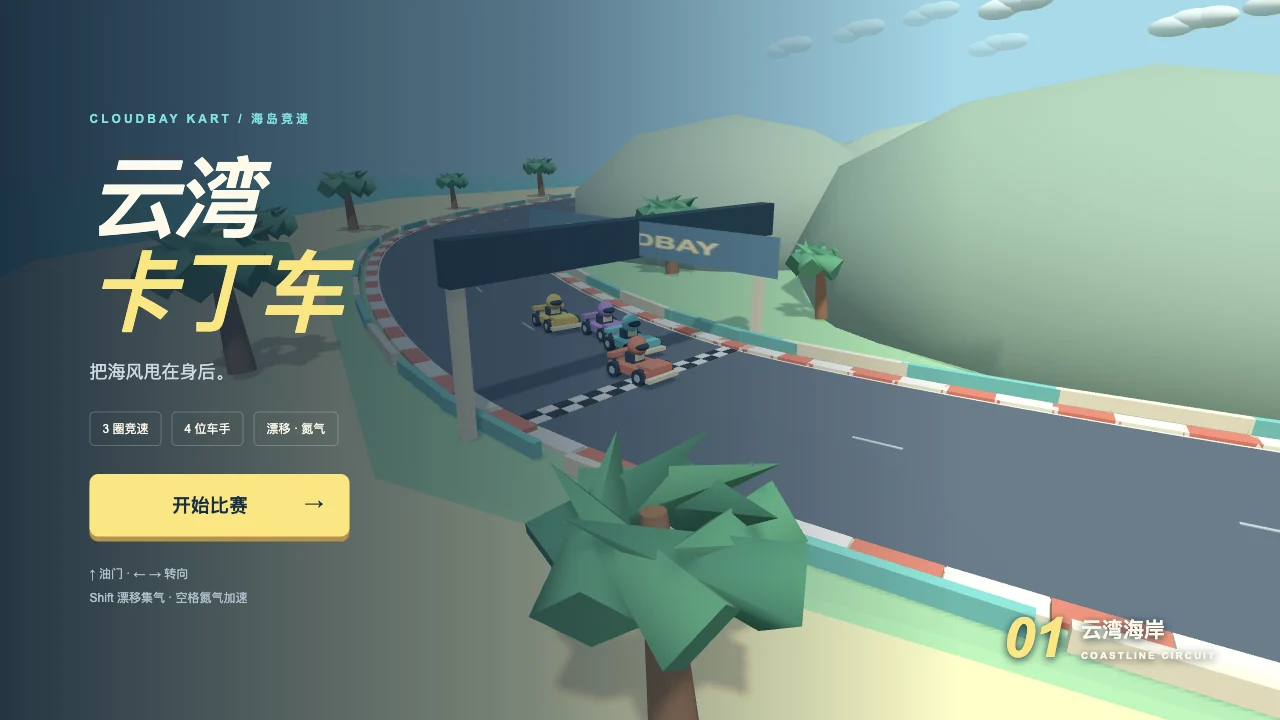
A real browser racing example
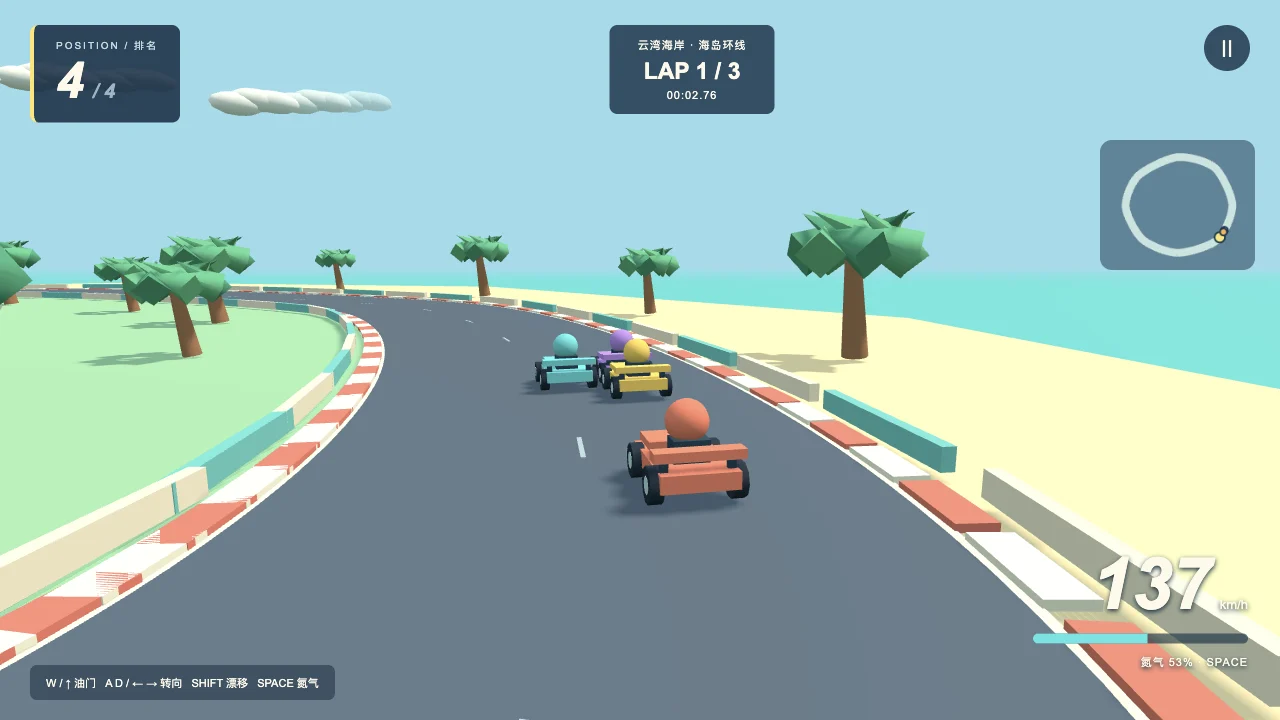
Cloudbay Kart presents a coastal race with a three-lap format, four racers, a speed display, ranking and a minimap. Its controls include acceleration, steering, drift and a nitro action.
In our desktop browser visit, we entered a race and tried acceleration and steering. The screenshots and silent recording here come from actual play. They give us a concrete way to discuss the car, camera, circuit and HUD; the community listing does not provide the author’s original prompt or model history.
Before requesting extra cars or a bigger map, separate the game into systems you can test:
| System | Define it in the brief | Check it while driving |
|---|---|---|
| Vehicle | Acceleration, braking, steering and reverse | Can you slow down and make the first corner? |
| Camera | Follow distance, height and smoothing | Can you see the next bend without the car hiding it? |
| Circuit | Road boundaries, checkpoints and direction | Can you recover after leaving the road? |
| Race rules | Start countdown, ordered checkpoints and lap count | Does crossing the finish line early leave the lap unchanged? |
| HUD | Speed, lap, time and restart | Are the numbers readable during a turn? |
Choose between a browser project and a Godot template
These are different starting points. Choose the one whose files and tools you want to keep working with.
| Workflow | What you start with | Why choose it |
|---|---|---|
| OhMyGame | A local project developed with an agent | Keep the track art, car assets, handling changes and playtests together, with files you can inspect and continue editing |
| Kenney Starter Kit Racing | An existing Godot racing project | Learn from an established vehicle and track structure, then change it in Godot |
| A chat assistant and your own editor | A brief and code suggestions | Assemble the project and run each driving check yourself |
OhMyGame’s app is free and open source; connected model services have their own usage terms and costs. If you choose Godot, its engine work uses a separate plugin workflow and an installed engine.
An example prompt for the first playable race
Use this brief for a browser project. Decide on the stack first, then keep it consistent through later requests.
Build a small 3D arcade racing game for the browser with Three.js.

First milestone:
- one player-controlled car and one closed coastal circuit;
- arrow keys or WASD for steering, acceleration and braking;
- a follow camera that shows the next corner;
- a start countdown and a three-lap race;
- ordered checkpoints, so reversing over the finish line cannot add laps;
- speed, lap count, elapsed time, pause and restart on the HUD;
- a reset-to-track action if the car becomes stuck.

Use simple geometry for the first version. Keep vehicle handling,
race progress and the HUD in separate modules. Express movement
in units per second and account for elapsed time between updates.

Open the game and check acceleration, braking, a full lap,
an invalid checkpoint sequence, reset-to-track and restart.
Report what you actually checked and any remaining problems.
Add detailed car and environment assets after that loop works.
This gives the agent a finishable job. Save the working version before adding drift, rivals or a second circuit. For more on the scene and publishing steps, see the 3D browser game guide.
What makes a proper prompt for an advanced racing game?
“Advanced” becomes useful when you name a behavior and its acceptance check. Add one feature to the existing project at a time:
| Feature | Give the agent a specific rule | Check the edge case |
|---|---|---|
| Drift | Define when a drift starts, how grip changes and how it ends | Release the drift input mid-corner and check that normal steering returns |
| Nitro | Set charge capacity, drain and refill rules | Press boost with an empty meter; restart and check the initial charge |
| Rival cars | Define a route, target speeds and recovery behavior | Watch the slowest car complete a lap without becoming stuck |
| Race position | Use lap progress, checkpoint order and distance along the current segment | Drive near a car on another part of the circuit and check the ranking |
| Touch controls | Define throttle, brake and steering areas | Hold two controls at once and confirm that the HUD stays readable |
For example, an advanced racing game prompt can extend a working build like this:
Add drift to the current car without changing the circuit or lap rules.
Holding Shift while steering should enter a controllable slide.
Releasing Shift should restore ordinary grip smoothly.

Put the tuning values in one clearly named configuration section.
Keep normal steering usable at low speed. Test entering a drift,
changing direction, releasing the key and restarting the race.
Tell me which values to adjust if the car spins too easily.
Drive the result yourself. A working input check can show that drift activates; you still need to judge whether the slide feels controllable.
Using Kenney Starter Kit Racing
If you want to work from an engine project, Kenney Starter Kit Racing provides a Godot template with arcade vehicle controls and GridMap-based track creation. Read its current README for the required Godot version and setup instructions.
Import the existing project and run it before changing anything. Then ask for a focused edit: reshape one part of the circuit, adjust the car’s handling or replace a vehicle model using the template’s expected structure. In OhMyGame, install the engine and configure the Godot plugin before asking the agent to work with that project.
An example request is:
Inspect this Kenney Starter Kit Racing project in Godot.
Identify the vehicle scene, track GridMap and camera before editing.
Add a short practice section with one wide bend.
Keep the existing vehicle controls working.
Run the project and report the files changed and checks performed.
This is a separate workflow from the browser example. A Godot template has its own scenes, scripts and export process. Keep its attribution and license files with the project, and check the included assets’ terms when adding your own resources.
Give the car and track a consistent visual direction
Once the race works, define the car’s scale, the road width, the palette and the lighting. Prepare one vehicle and a small roadside set before generating a whole collection. Trees, barriers and signs should leave the driving line readable.
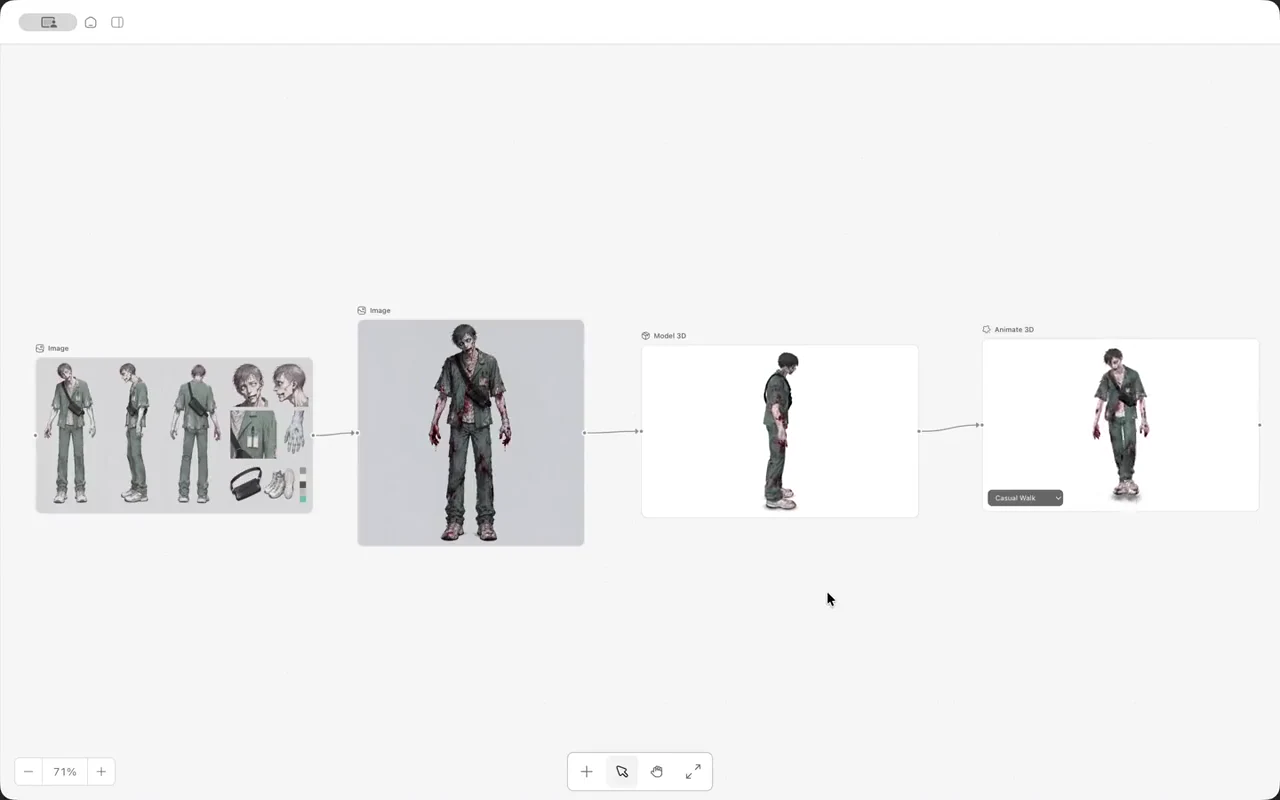
With an AI racing game maker workflow in OhMyGame, you can keep those references beside the implementation, ask for a handling change and try it in the same project. Preserve a working version so an art change or new mechanic has a clear point of comparison.
Before you share the race
- Start from a fresh session and check that controls and the objective are visible.
- Complete the checkpoint sequence, finish the race and restart it.
- Leave the road, recover and try crossing the finish line in the wrong direction.
- Pause during a race and check what happens to the timer and held inputs.
- Test the published build on the devices you intend to support.
For an OhMyGame web project, sign in to publish a browser link, then open that link separately and repeat the main checks. A local preview and the shared build should both load their models, textures and sounds.
FAQ
What should a racing game prompt include?
Include the vehicle behavior, camera, circuit, race rules, controls and checks. Ask for one playable lap before advanced visuals or additional cars.
Can AI build a racing game from one prompt?
It can help produce a first version. Expect to drive it, describe problems and revise systems such as steering, collision recovery and checkpoint handling.
Is Kenney Starter Kit Racing the source of the community kart game?
The public community listing does not establish that connection. They are presented here as separate examples: a playable browser game and a Godot starter project.
Can I make a browser racing game without learning Godot?
Yes. A browser project can use a web stack such as Three.js. Godot is another route if you want its editor and project format. Choose one workflow and test its production build early.